 Rotimi BestandRotimi Best
3980aa0a9b
Rotimi BestandRotimi Best
3980aa0a9b
* feat(dashboard): restyle lesson transcript and summarize actions

Add separator lines around lesson material actions below the video,
switch transcript and summarize controls to plain ghost buttons with
hover-animated icons, and separate the two actions with a pipe when both
are visible. Display rules are unchanged.

Co-authored-by: Rotimi Best <[email protected]>

* refactor(dashboard): inline summarize action into material actions

Fold lesson-summarize-button into lesson-material-actions and remove the
standalone component. Lessons without videos use the same actions bar with
separators disabled.

Co-authored-by: Rotimi Best <[email protected]>

* fix(dashboard): align lesson actions with note width on mobile

Constrain material actions to max-w-2xl when there is no video so they
match the note column. Improve small-screen layout with tighter padding,
flex-wrap, and hide the pipe separator below the sm breakpoint.

Co-authored-by: Rotimi Best <[email protected]>

* add script update

* fix(dashboard): tighten spacing between lesson video and note

Remove gap-2 from the lesson content stack and drop bottom margin on the
last video wrapper so material actions separators control the gap before
the note.

Co-authored-by: Rotimi Best <[email protected]>

* fix(dashboard): show bottom separator on note-only lesson actions

Lessons without video were passing showSeparators=false, hiding both
lines. Split into top/bottom controls so summarize still gets a line before
the note without one above the action row.

Co-authored-by: Rotimi Best <[email protected]>

* fix(dashboard): always show top separator on lesson material actions

Co-authored-by: Rotimi Best <[email protected]>

* fix(dashboard): reduce lesson material action separator margin to my-2

Co-authored-by: Rotimi Best <[email protected]>

* feat(dashboard): consolidate multi-video transcript actions and navigation

Register transcript sources per upload video, show a single material
actions row after all videos, and add prev/next video navigation in the
transcript side panel when multiple transcripts are available.

Co-authored-by: Rotimi Best <[email protected]>

* fix(dashboard): address greptile review on lesson material actions

Require lessonId on material actions and stop overwriting the transcript
seek wrapper with a stale localSeekFn snapshot in the sync effect.

Co-authored-by: Rotimi Best <[email protected]>

* fix(dashboard): stop transcript registry effect infinite loop

Replace the reactive sync effect with explicit registry updates from
loadTranscript and skip no-op transcript source writes to avoid reading
and writing transcriptSources in the same effect pass.

Co-authored-by: Rotimi Best <[email protected]>

* fix(ui): raise tooltip z-index above app bar side panel

Use z-menu-elevated for tooltip content so header icon tooltips are not
hidden behind the fixed transcript side panel (z-app-bar).

Co-authored-by: Rotimi Best <[email protected]>

---------

Co-authored-by: Rotimi Best <[email protected]>
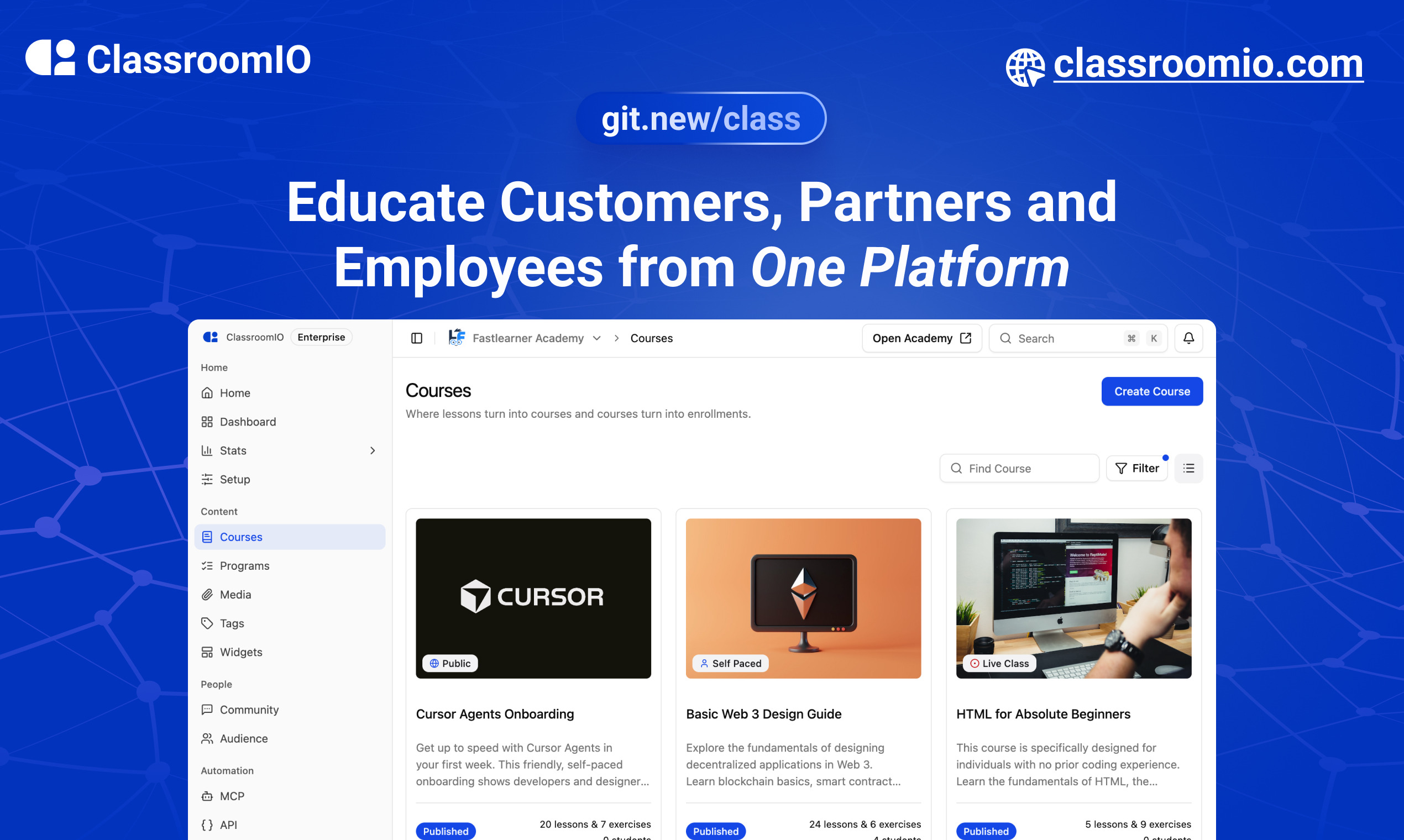
ClassroomIO.com
The Open Source Learning Management System for Companies
Website | Join Discord community
✨ About ClassroomIO.com
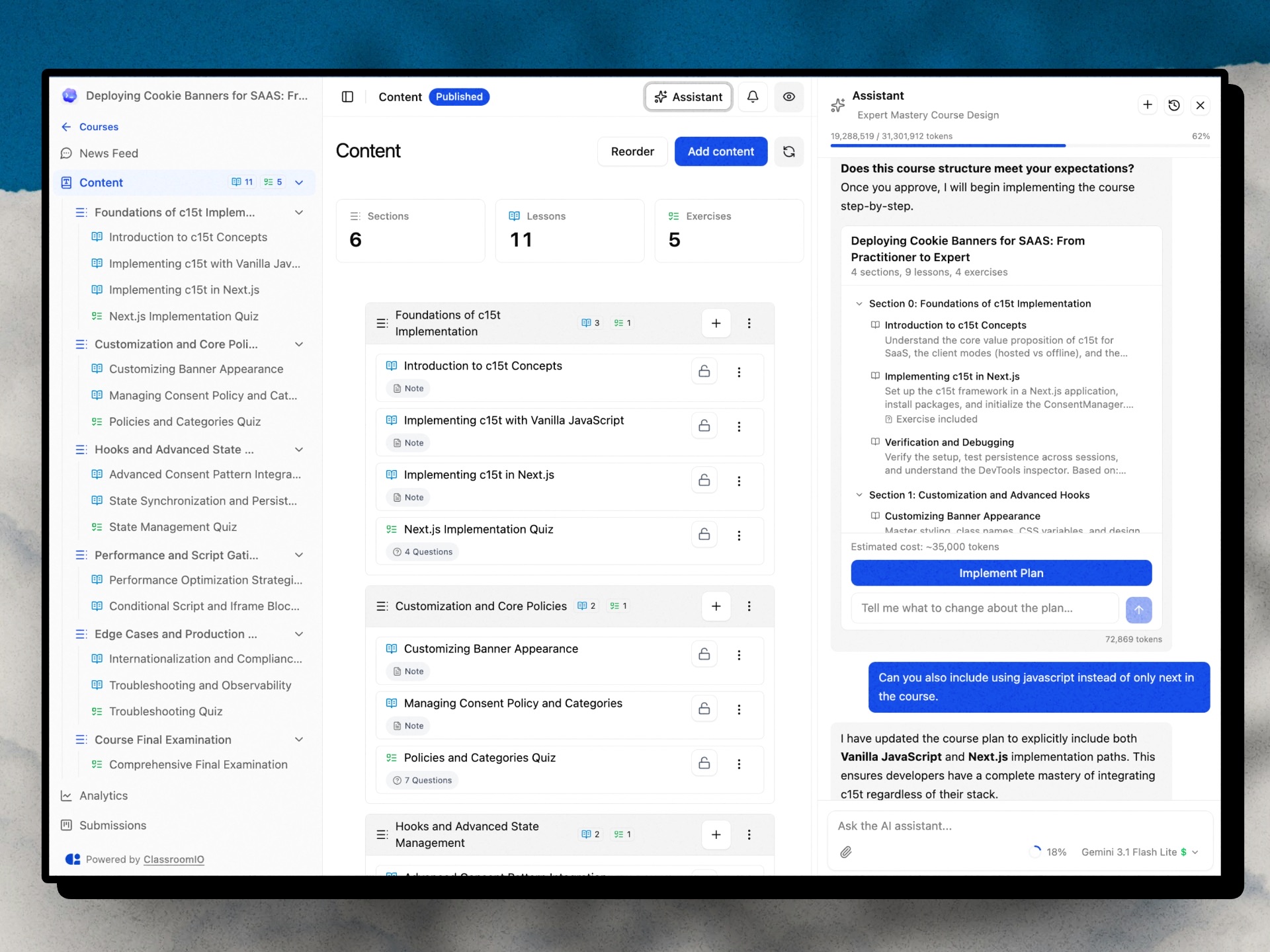
ClassroomIO is an open source LMS for companies. Run compliance/employee training, customer education, and partner certification cohorts — all from one platform. Self-host it on your own infrastructure or use the cloud version.
Who It's For
| Use Case | What You Get |
|---|---|
| Compliance Training | Deadline tracking, renewals & retake intervals, grace periods, waivers, certificates with custom IDs |
| Customer Education | Branded academy portal, cohorts (cohorts with goals), AI lesson tutor, multilingual content |
| Partner Training | Partner workspaces, branded certificates, custom domains, embeddable widgets, multilingual support |
Key Features
Course & Content
- Course management — unlimited courses, lessons, exercises, grading, and certificates
- Cohorts — group courses into cohorts with goals, team management, and progress tracking
- AI Course Builder — generate outlines, lesson content, and assignments (Gemini, GPT-4o, Claude)
- AI Lesson Tutor — in-lesson AI assistant that helps learners as they study
Compliance & Certification
- Compliance tracking — status, deadlines, grace periods, renewals, and waivers
- Certificates — issue branded certificates with custom IDs
Learner & Org Experience
- Multi-org & multi-teacher — invite teachers, assign courses, manage multiple organizations
- Student dashboard — learners access all courses, assignments, and progress in one place
- Multilingual — deliver content in 10+ languages
Integrations & Developer Tools
- REST API + Webhooks — enroll users, trigger automations, receive events (
certificate.issued,enrollment.completed, and more) - MCP server —
@classroomio/mcpon npm for AI-native integrations - Embeddable widget — embed your course catalog on any website
Platform
- Fully open source — self-host the entire stack on your own servers
For what's coming next, see the public roadmap.
Built With
Get a Demo
You can book a quick 15 min demo to see if ClassroomIO is a good fit for you

Getting Started
To get a local copy up and running, please follow these simple steps.
Prerequisites
Here is what you need to be able to run ClassroomIO.com
- Node.js (Version: >=20.19.3) — required
- pnpm (v10) — required; the package scripts call
pnpmdirectly, so npm/yarn are not substitutes - Docker — required; runs Postgres + Redis (no local install of those needed)
Project Structure
This repo is a monorepo that consists of these primary apps:
website: The landing page of ClassroomIO hosted hereapi: The api service that handles PDF, video processing, Emailing and Notifications.dashboard: The web application that runs the learning management system hosted here.docs: Official documentation of ClassroomIO hosted here
The repository also contains shared packages under packages/ (for example packages/db, packages/utils, and packages/ui).
Development
Local Setup
Before you start: make sure pnpm and Docker are installed (see Prerequisites). New to the project? Read
DEV_SETUP_NOTES.mdfirst — it's a full step-by-step walkthrough with a troubleshooting reference for the errors you're likely to hit.
-
Fork the repo, then clone it:
git clone https://github.com/classroomio/classroomio.git -
Go to project folder:
cd classroomio -
Set up Node (using
nvm):nvm useYou first might need to install the specific version and then use it:
nvm install && nvm useYou can install nvm from here.
-
Install dependencies:
pnpm i -
Set up your
.envfiles:Each app reads its own
.env. Inapps/apiandapps/dashboard, duplicate.env.exampleto.envand fill the values below (host ports). The secret values are placeholders — generate each one withopenssl rand -hex 32rather than copying the example text. The twoPRIVATE_SERVER_KEYvalues must match — they authenticate the dashboard's server-to-server calls to the API, so generate it once and paste the same value into both files.-
apps/api/.env:DATABASE_URL="postgresql://postgres:postgres@localhost:5432/classroomio" REDIS_URL="redis://localhost:6379" PUBLIC_SERVER_URL="http://localhost:3002" TRUSTED_ORIGINS="http://localhost:5173" # the dashboard dev origin BETTER_AUTH_SECRET="<generate-with-openssl-rand-hex-32>" PRIVATE_SERVER_KEY="<generate-with-openssl-rand-hex-32>" # generate once; use the SAME value in the dashboard DASHBOARD_ORIGIN="http://localhost:5173" # optional; used for invite/email links back to the dashboard -
apps/dashboard/.env:PUBLIC_SERVER_URL="http://localhost:3002" PRIVATE_SERVER_URL="http://localhost:3002" # used by the SSR auth proxy — required, or login returns "API upstream not configured" PRIVATE_SERVER_KEY="<generate-with-openssl-rand-hex-32>" # must match the API (paste the value generated above) PUBLIC_IS_SELFHOSTED=true -
Running the background workers? Also create
apps/jobs/.env(e.g.cp apps/api/.env apps/jobs/.env); it needsREDIS_URL. Thepackages/db/.envused by the DB scripts is set up in step 6. -
Optional for self-hosted Enterprise-only features (SSO, token-auth, no-tracking): set
LICENSE_KEYinapps/api/.env. -
Optional upload size limits: set matching
UPLOAD_MAX_*_MBvalues in bothapps/api/.envandapps/dashboard/.env(seeapps/api/.env.example). Defaults are 5 MB documents, 2 MB assignment files, 800 MB videos.
-
-
Start local infrastructure for API (Postgres + Redis) and seed the DB:
docker compose -f docker-compose.yaml up -d postgres redis cp packages/db/.env.example packages/db/.env # one-time (Windows: Copy-Item) pnpm --filter @cio/db db:setup:seed- Connect with
DATABASE_URL=postgresql://postgres:postgres@localhost:5432/classroomio - Connect with
REDIS_URL=redis://localhost:6379 db:setup:seedcreates the schema and seeds demo data once Postgres is up. The db scripts run with their own working directory, so they readDATABASE_URLfrompackages/db/.env(notapps/api/.env).
- Connect with
-
(Optional) Start MinIO locally for object storage (media/documents):
docker compose -f docker-compose.yaml --profile minio up -d minio minio-init- Console: http://localhost:9001 (user/pass default
minioadmin/minioadmin) - S3 endpoint: http://localhost:9000
- Buckets created by
minio-init:videos,documents,media - Add to
apps/api/.envwhen using MinIO locally:OBJECT_STORAGE_ENDPOINT=http://localhost:9000OBJECT_STORAGE_PUBLIC_ENDPOINT=http://localhost:9000OBJECT_STORAGE_ACCESS_KEY_ID=minioadminOBJECT_STORAGE_SECRET_ACCESS_KEY=minioadminOBJECT_STORAGE_FORCE_PATH_STYLE=trueOBJECT_STORAGE_MEDIA_PUBLIC_BASE_URL=http://localhost:9000/media
- Console: http://localhost:9001 (user/pass default
-
Run the local app services in separate terminals:
pnpm api:devpnpm dashboard:dev- If you see
Failed to resolve entry for package "@cio/...", the shared workspace packages haven't been built yet (theirdist/is missing). Build them once withpnpm build, then re-run the dev commands.
- If you see
-
Default local URLs:
api: http://localhost:3002dashboard: http://localhost:5173
-
Optional: run other apps:
- website:
pnpm website:dev - docs:
pnpm dev --filter=@cio/docs
-
Login into
dashboard:- Visit http://localhost:5173/login
- Enter email:
[email protected] - Enter password:
123456
To learn more about how to login with a dummy account, go here.
Enabling the AI Course Assistant
The in-course AI chat (course authoring, plan generation, lesson edits) is disabled by default. Enable it by setting at least one provider API key in apps/api/.env (or the root .env for the Docker stack):
# Pick one or more — the dashboard model picker exposes Gemini 2.5 Flash and GPT-4o.
OPENAI_API_KEY=sk-...        # enables GPT-4o
GOOGLE_API_KEY=AIza...       # enables Gemini 2.5 Flash (default model in the picker)
ANTHROPIC_API_KEY=sk-ant-... # supported in code; not currently in the picker UI
Notes:
- The
GET /agent/statusendpoint flips toenabled: trueas soon as any of those keys is set, which is what the dashboard checks before showing the AI button on a course. - Each chat request sends the user-selected
model(persisted inlocalStorageasclassroomio-ai-chat-model). The API resolves the provider for that model (packages/utils/src/agent-models) and returns 503AI_NOT_CONFIGUREDif that provider's key is missing. - Optional Tinybird observability: set
TINYBIRD_TOKEN(and optionallyTINYBIRD_BASE_URL) inapps/api/.env. Events are silently skipped when the token is absent. - More detail on architecture, tools, and routes lives in
prd/ai-course-assistant [DONE]/README.md.
Docker Compose (Full Stack)
cp .env.example .env   # copy env template, edit for your domain
./run-docker-full-stack.sh
The script reads root .env via docker compose --env-file .env and auto-generates a secure PRIVATE_SERVER_KEY (and BETTER_AUTH_SECRET) when missing.
See .env.example for the full list of environment variables with required/optional grouping, and docker/docs/SELF_HOST.md for the complete Docker self-hosting guide. To raise upload caps (documents, videos, assignment files), set the UPLOAD_MAX_*_MB vars in .env — see the docs.
Publishing
When cutting releases for hosted assets or the npm MCP package, run:
- Storybook —
pnpm --filter @cio/storybook storybook:publish - Course widget embed —
pnpm --filter @cio/embeds embeds:publish - Question type picker —
pnpm --filter @cio/embeds embeds:publish(same script builds and uploads both embeds) - MCP (
@classroomio/mcp) — bump the version inpackages/mcp/package.json, thenpnpm mcp:buildandpnpm --filter @classroomio/mcp publish